
Streamers
Add background music to your live streams
Keep music playing while you game, chat or create. Choose a station for the mood of your stream and bring it into Twitch, YouTube or Kick with Radiolize Streamers.


Choose your music before going live
Choose a music station for your gaming, chatting or creative stream. Play it in your browser or connect it to your streaming software.
- Choose a music station that suits your content, from a relaxed chat to an energetic gaming session.
- Play it in your browser or connect the station to your streaming software.
- Check the music level against your voice and game audio before going live.
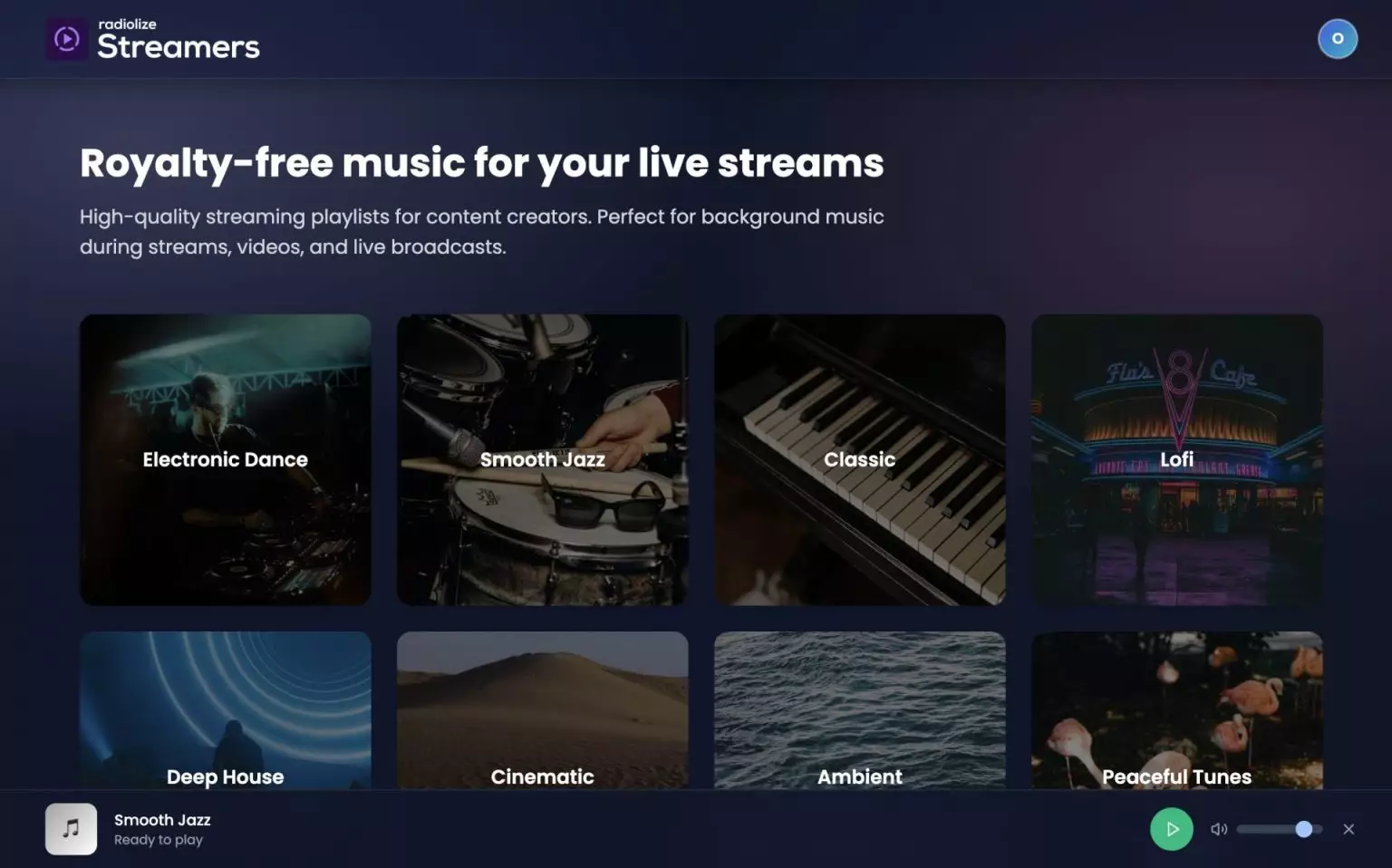
Choose music for gaming, chatting and breaks
Browse curated stations by mood and genre. Choose relaxed music for chatting or a more energetic station for gameplay, and keep it playing while you stream.
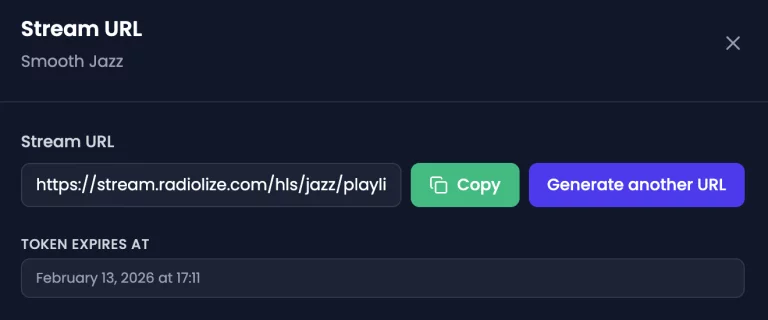
Bring the music into your OBS setup
Connect a station to your streaming software and keep its audio level separate from your microphone. Check the mix in a short recording so your viewers can hear both your voice and the soundtrack.
Balance music with your microphone and game audio
Adjust the music volume in your streaming setup so viewers can hear your voice and game audio clearly. Test the mix before going live.
Music that fits your streaming setup
Explore the stations, choose a plan and get help connecting your stream.
Questions before you go live
Is Streamers for running my own radio station?
Streamers provides curated music stations for background listening in your live streams. Choose Radiolize Broadcaster if you want to upload audio, schedule shows or run your own radio station.
Which streaming platforms is it designed for?
Radiolize Streamers is built for creators streaming on Twitch, YouTube and Kick. Explore the product page for the available stations and current usage details.
Can I use it with OBS?
Yes. You can connect a station to OBS or other compatible streaming software. The Streamers Help Center explains how to add the music and check playback.
Can I listen without setting up streaming software?
Yes. Open Radiolize Streamers in your browser, choose a station and press play. Check your stream audio routing if you want your viewers to hear that browser playback too.
Find the soundtrack for your next stream
Explore curated music stations and a simple setup for Twitch, YouTube and Kick.
Explore Radiolize Streamers